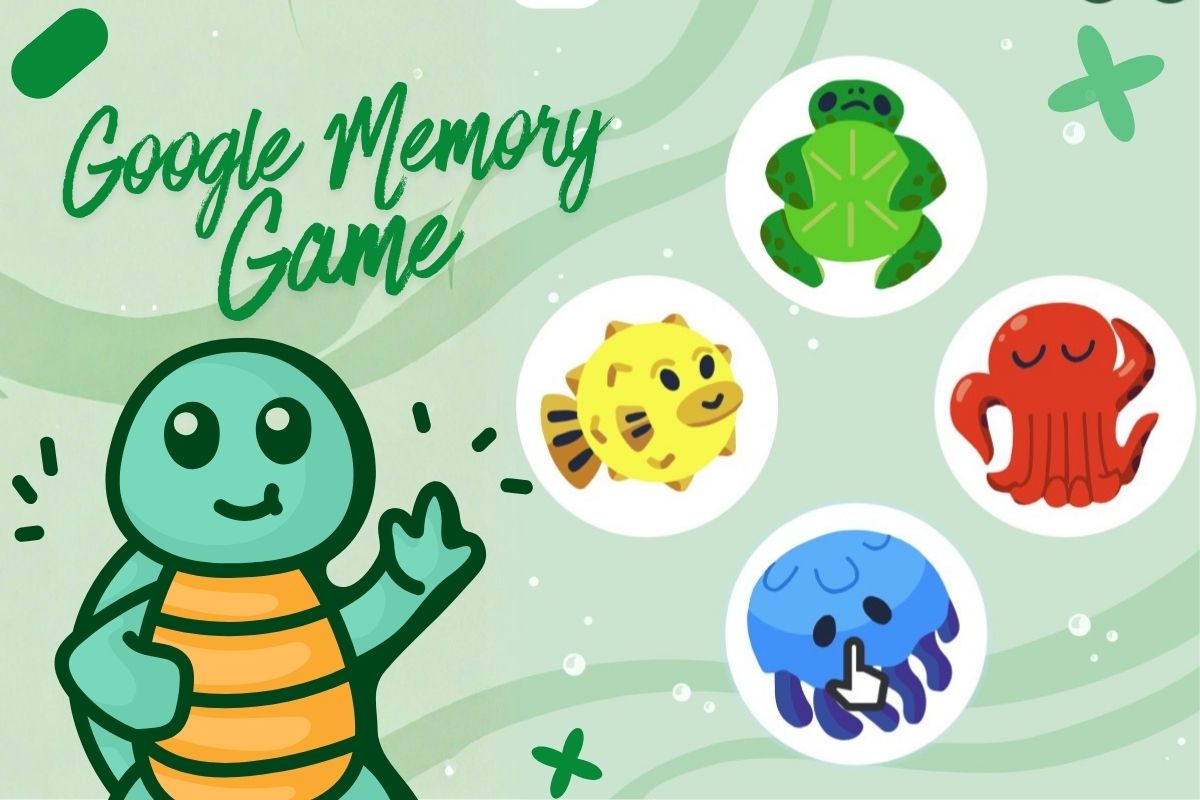
The first time someone showed me the Google Memory Game, it wasn’t in an app. It wasn’t on a games site. It was right there inside a normal Google search page, sitting above the results as it had always belonged there.
There are no irritating advertisements, and you do not have to sign up to play the game. No awkward popups. Just a simple little game that asks one question: Can you actually remember what you just saw and heard?
And honestly, that’s the whole trick. You open Google, type Google Memory Game, press enter, and you’re playing within seconds. It feels harmless and provides a quick break and a bit of fun. Then five minutes later, you’re leaning in, shoulders tense, replaying the same pattern in your head like you’ve got a tiny orchestra of sea creatures living rent-free in your brain.
That’s why people keep searching for it in 2026. Not because it’s flashy. Because it’s frictionless. It slides into your day like a biscuit with your tea. Then you catch yourself thinking, “Right, one more go.” Famous last words.
What follows is an easy guide to what it is, how it works, why people love it, and how to get better without turning it into a whole self-improvement project. And, yes, it’s safe, and even kids can play it. And yes, schools sometimes block it. Typical.
What is the Google Memory Game?
At its core, it’s a memory and pattern game you can play in a browser. Google has put out a few different versions over time.
One of the best-known is the marine-themed Simon-style game, where characters play a sequence, and you repeat it in order. Another popular branch is the “matching cards” style game that shows up in places like Santa Tracker. And then there are the Google Doodle versions, like the “Rise of the Half Moon” interactive card game built around lunar phases.
If you’ve ever played Simon, pairs, or any basic matching game as a kid, you already get the idea. The game shows you a pattern. You copy it. It gets longer. You slip up. You start again, annoyed at yourself, like the game personally judged you.
And it’s not just for kids. Adults play it at lunch, students use it as a quick reset between tasks, and plenty of people treat it like a low-stakes brain warm-up before work, which isn’t magic or a medicine. Just a tidy little challenge.
Also Read: Top 10 Esports Games That Dominate Competitive Gaming
How to Play Google Memory Game
Here’s the easiest way most people in the UK bump into it:
- Open Google Search in your browser.
- Type Google Memory Game.
- Look at the top of the results page for the interactive game panel or widget.
- Tap or click play.
That’s it. No installation and no account are needed for the basic experience. You’re just playing in the browser.
If you’re after the Christmas-themed matching version, Google’s Santa Tracker has a Memory Match-style game you can open directly.
And if you want the lunar-themed one, the “Rise of the Half Moon” Doodle page is still a solid option, and it’s clearly presented as an interactive Doodle card game.
Google Memory Game: Features and Difficulty Levels
Let’s talk about the part people don’t say out loud. The game’s difficulty curve is cheeky.
At the start, you feel clever. Two steps. Three steps. Easy.
Then the sequence hits a length where your brain does that annoying thing where it swaps items around.
You know you saw jellyfish, turtle, octopus, and fish. But your fingers click ‘turtle’ first anyway. Wrong. Game over. You stare at the screen as it betrays you.
That’s because it’s not just memory. It’s attention.
You’re trying to hold a short sequence in your head while also staying calm enough to repeat it accurately. That combo is exactly why the game works as a quick focus challenge. Not because it “rewires your brain” or any of that internet nonsense. Because it forces you to concentrate for a minute, properly, without scrolling.
And the sound matters too. Many players find it easier to remember the tune than the colours or characters. You can almost hum your way through a round. That’s not a special hack. It’s just how many of us store patterns.
Why People Keep Playing the Google Memory Game
I’ve heard a few reasons, and they’re all very human:
- Some people play because they want a tiny break that doesn’t become a half-hour doom scroll. Fair.
- Some play because they like a simple challenge that ends cleanly. No storyline and no grinding. You win or you don’t.
- Parents and teachers like it because it’s quick, colourful, and doesn’t come with the usual junk that follows “free games” around the web. It’s easy to hand to a kid for five minutes while you finish a call. Been there.
- And then there are the competitive types. The ones who treat it like a personal insult if they don’t beat yesterday’s run.
However, it’s important to keep the benefits reasonable. Playing memory games can support practice with short-term recall and sustained attention in the moment, but it’s not a clinical treatment for anything. If you see someone claiming it prevents dementia, roll your eyes and move on. Keep it grounded.
Is the Google Memory Game Good for Kids?
In general, yes, as long as you keep expectations realistic.
The themes are kid-friendly. The rules are simple. There’s no violent content. And because it runs in a browser, it can be used on a laptop, tablet, or phone with touch controls.
Where parents can help is by turning it into a calm game, not a pressure test. Younger kids do better when you sit with them for the first few rounds. Call out the pattern together. Make it a quick shared thing, then stop before it turns into a tantrum. Because it will. Kids are kids.
If you’re specifically hunting for a Google memory game for kids, the Santa Tracker matching version is a safer bet for very young children because the “find the pairs” format feels familiar.
Can You Play It on Mobile?
Yep. Most versions work fine on mobile browsers, and touch input is usually straightforward.
On Android, you can also end up in related memory games inside the wider Google ecosystem, but be careful not to confuse official Google tools with random Play Store apps using similar names. Some are totally fine, some are stuffed with ads, and some just want your attention. The real Google-hosted experiences are the ones on Google domains like Santa Tracker and Google Doodles.
So if you’re searching for Google memory game online and you care about a clean experience, stick to the Google-hosted pages.
Is Google Memory Game Safe and Free?
The commonly shared Google versions are free to play.
For example, the Santa Tracker matching game sits on a Google domain and is presented as part of Google’s Santa Tracker experience.
The “Rise of the Half Moon” game is part of Google’s Doodle library, again on a Google domain.
That doesn’t mean “nothing is ever collected” in the broad internet sense, because browsers, basic logs, and standard web services exist. But you’re not being asked to create an account just to play a round, and you’re not handing over personal details like you would on some sketchy game site.
If someone’s looking for Google memory game unblocked because their school network blocks games, that’s a separate issue. Schools and offices block whole categories of sites, sometimes including Doodles and Santa Tracker. If it’s blocked, it’s blocked. Trying to dodge it can breach school rules, and that’s not worth it for a jellyfish. Play at home.
Also Read: Top Gaming Trends: The Most Talked-About Games This Year
Tips To Ace the Google Memory Game
First, go full screen on a desktop if you can. Less visual clutter helps more than people admit. Your brain loves distractions.
Second, treat the sequence like a rhythm, not four separate icons. A lot of players do better when they quietly “sing” the pattern in their head.
Third, don’t rush the click. The mistake most people make is trying to prove they’re quick. Speed kills scores. Accuracy wins.
Fourth, if you’re stuck at the same length every time, take a break for two minutes. Not a big break. Just stand up, get water, and come back. You’d be surprised how often your next run goes further.
And look, this is a small thing, but it helps: don’t play when you’re half watching telly. It turns into random clicking. If you want focus, give it focus.
Other Google-style Games People Mix up With It
Google has a long history of small interactive Easter eggs and playable tools, and some lists collect them in one place. Wikipedia even keeps a running page of many Google Easter eggs and mini games, including memory-style ones that show up in Search.
If you like the Google matching game vibe, the Doodle library is also worth a look because Google often builds short interactive games tied to events or themes, and some of them play like memory challenges.
Just remember: not everything labelled “Google” is actually from Google. People copy names because it gets clicks. Always check the domain.
So What’s The Takeaway
The clever part of the Google Memory Game isn’t the design. It’s the feeling.
It gives you a clean little moment where your brain either nails it, or it doesn’t. No excuses, scroll and noise. Just you, a pattern, and a very smug octopus.
And that’s why it works so well in 2026. Most “breaks” aren’t breaks anymore. They’re a trapdoor into messages, news, and thirty open tabs. This one ends when you decide it ends. Win, lose, close the page. Done.
If you want something practical from it, here it is: treat it like a two-minute reset, not a new personality. A couple of rounds before work, a quick go-between study blocks and a calm game with a child while the kettle boils. It’s small on purpose, and that’s the whole point.
Just don’t be shocked when “one quick round” turns into ten and you catch yourself muttering the sequence under your breath like a weirdo. That’s how it gets you, doesn’t it?
Frequently Asked Questions
How do I find the Google Memory Game fast?
Search Google Memory Game on Google and look for the interactive game panel near the top of the results.
Can I play it offline?
Most browser versions need an internet connection because they load from Google’s servers.
Is it proper “brain training”?
It’s a memory and attention challenge. It can help you practise those skills in the moment, but it’s not a medical tool.
Can adults play it, or is it just for kids?
Adults play it all the time. It’s just a pattern game. No age limit.
Does it save my score?
Some versions may show a score or progress during a session, but don’t assume it will persist if you refresh or close the page.
Why is it blocked at school?
Many schools block game pages by category, even if the game sits on a well-known domain.
Is the Santa Tracker memory game the same thing?
It’s a different style, more of a matching cards game, but people group them together because the goal is still memory.